Download Firmware
Pick the right image
All R5A images are available from either entry point below:
GitHub ReleasesImages and MD5 checksums, recommended from overseas→Baidu Netdisk (百度网盘)Fast downloads inside China, share code egjr→
Confirm the image:
- Board model: TBoard R5A.
Use an eMMC module or a microSD card of at least 16 GB (32 GB recommended) — at least one of them must be installed.
Verify before flashing
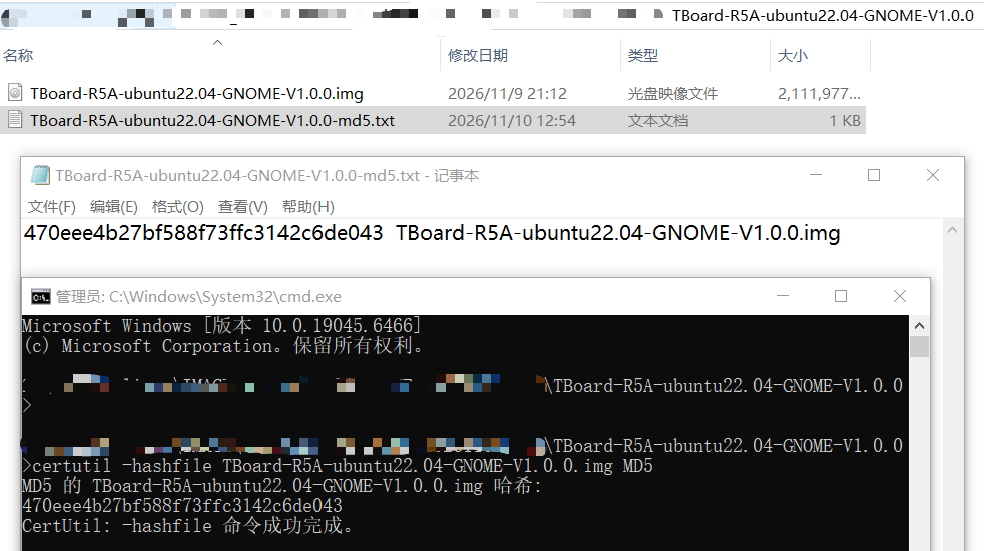
Check the MD5 checksum of the downloaded file before writing it. The download
page provides the .img image together with its -md5.txt checksum file.
Windows (run in cmd):
certutil -hashfile TBoard-R5A-ubuntu22.04-GNOME-V1.0.0.img MD5
:: compare the output with the value in the -md5.txt file
Linux (md5sum):
md5sum TBoard-R5A-debian11-Xfce-V1.0.0.img
# compare the output with the value in the -md5.txt file

Related
- Downloads
- Flashing the Image — next step.